A few days ago, I opened Gmail and noticed that something had changed overnight: the familiar yellow importance markers were suddenly blue.

Google seems to be gradually rolling out or A/B testing this new design, since the change isn’t showing up on all accounts yet. Some of my Gmail accounts have received it, while others still have the old yellow markers.
Personally, I much prefer the old look. The yellow markers were immediately recognizable and, more importantly, visually distinct from the rest of Gmail’s interface.
So I started looking for a way to change them back.
There is no setting to change the importance marker color
Unfortunately, Gmail currently provides no official setting to choose the color of importance markers.
Stars are customizable: Gmail lets you choose from several different colors and symbols. But the importance marker isn’t. If your account has received the new blue design, you’re stuck with it.
While looking for a solution, I found quite a few other people on Reddit and Google’s support forums who were unhappy with the change and were also looking for a way to restore the old yellow markers.
So I decided to fix it myself.
A simple solution
It took me about 30 minutes to put together a tiny Chrome extension that restores the previous yellow/gold importance markers.
That’s literally all it does.
It doesn’t access your emails, collect data, add analytics, or change anything else in Gmail. It simply replaces the new blue importance marker with the old gold appearance.
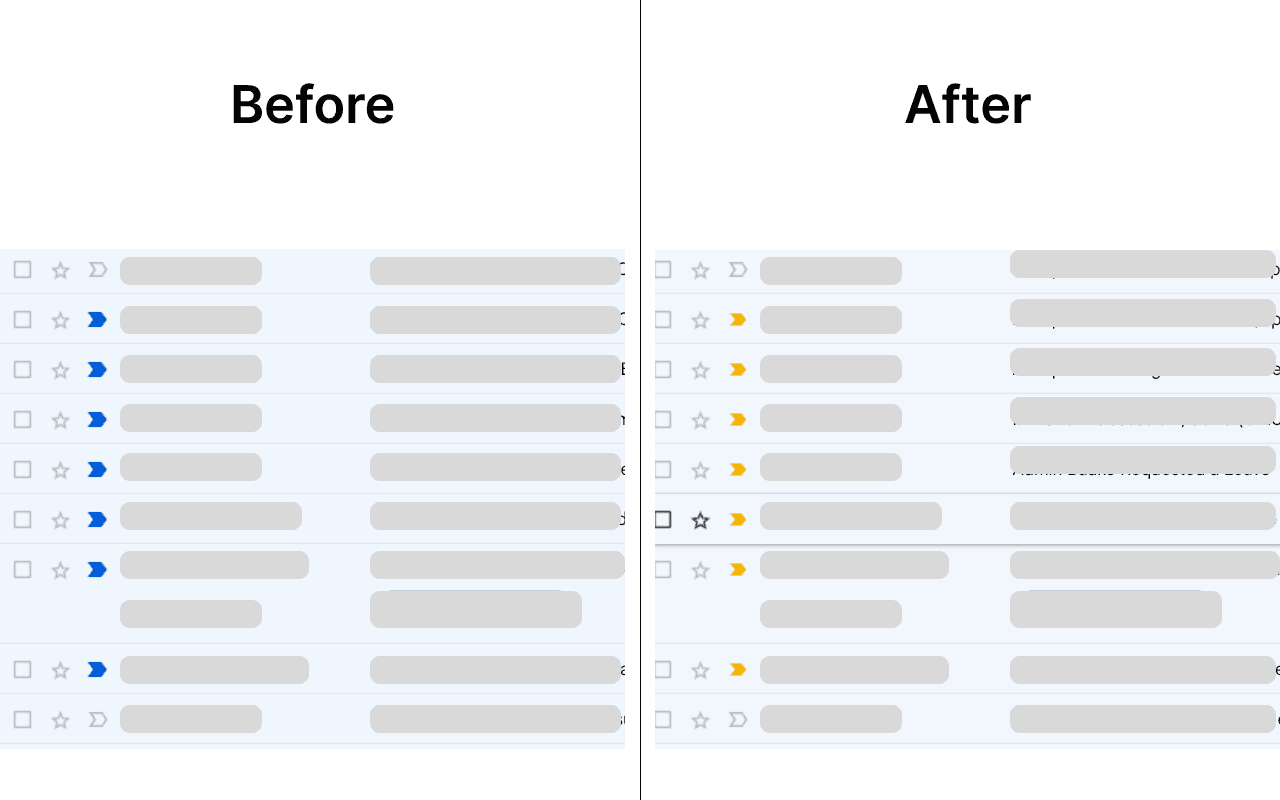
Gold Markers for Gmail is available for free on the Chrome Web Store:
https://chromewebstore.google.com/detail/ckalmgcoepgkpojihmfhflbdmfjbekjf
Since Google appears to be rolling this change out gradually, I’ve only been able to test the extension on accounts that have already received the new UI.
If you try it and notice something that doesn’t work as expected, feedback is very welcome.
Hopefully Google will eventually add an official setting for this. Until then, this little extension does the job.